Setup Browser Link
Connect your MCP client to the browser to enable human-in-the-loop confirmations for critical operations
Prerequisites
Before you can link your MCP client to the browser, you must first connect the ABMeter MCP server to your MCP client. The browser linking feature requires an active MCP connection to work.
What is Linking?
When you connect the ABMeter MCP server to your MCP client, it can help you manage experiments directly through natural conversation. However, for safety-critical operations like launching experiments or stopping them, you'll want to confirm these actions through the web interface.
Linking your MCP client to the browser enables this human-in-the-loop workflow. When linked, your MCP client will ask for your confirmation in the browser before executing critical operations, ensuring you maintain full control.
Why Link Your MCP Client?
Safety and Control: Critical operations require your explicit confirmation. By linking your MCP client to the browser, you create a secure confirmation flow where:
- Your MCP client prepares the operation (e.g., experiment configuration)
- You review the details in the web interface
- You explicitly confirm or cancel the operation
- The MCP client receives your decision and proceeds accordingly
This approach combines the convenience of AI-assisted workflows with the safety of human oversight for important decisions.
How to Link Your MCP Client
Via Your MCP Client (Recommended)
The easiest way to link is directly from your MCP client. Simply ask it to link to the browser:
Example prompts:
- • "Link to browser"
- • "Connect my browser"
- • "Enable browser navigation"
Alternative Methods
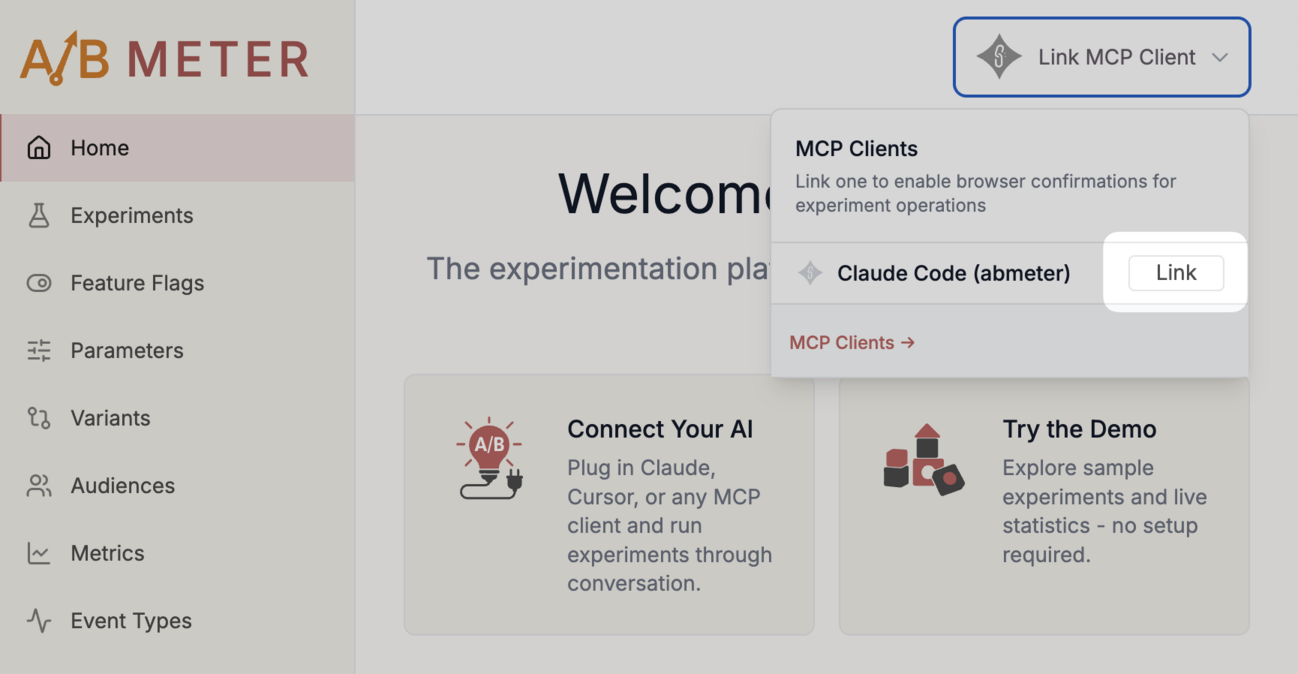
Via Web UI Dropdown
Click the "Link MCP Client" button in the top-right corner to reveal a dropdown menu, then click "Link":
What Happens After Linking?
Once linked, your MCP client can navigate your browser to the right pages. For example, you can ask your MCP client to open an experiment:
Your MCP client can also automatically open confirmation pages when you request critical operations like launching or stopping experiments.
Next Steps
Now that you understand how to link your MCP client: